
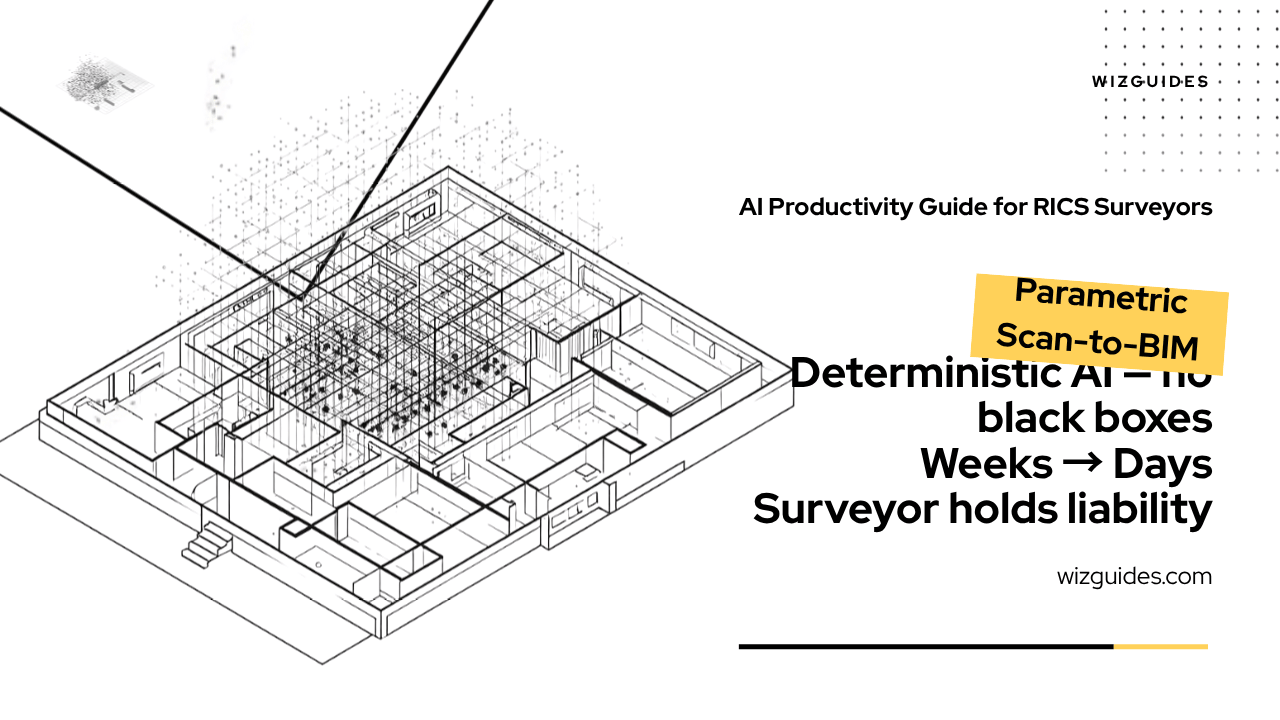
Parametric Scan-to-BIM: Accelerating As-Built Model Generation from High-Density Point Clouds
Scan To BIM | Building Surveyor | RICS Surveyor | BIM | Revit | Parametric BIM | Point Cloud | Auto desk ReCap | BIM Level 2 | AI Workflows | AI For Professionals
Description
How Building Surveyors Use Glyph AI and Autodesk ReCap to Reduce Weeks of Manual Point Cloud Tracing to Days of Targeted Validation — Without Replacing Professional Judgement.
This guide provides a rigorous, mathematically defensible parametric scan-to-BIM methodology for Building Surveyors working on refurbishment, change-of-use, and demolition surveys of existing buildings. The traditional process of manually tracing as-built geometry from registered laser scan point clouds in Revit is time-consuming and prone to human interpretation error.
This guide demonstrates how Glyph AI applies parametric surface-fitting algorithms to accelerate the geometry extraction phase, allowing the Building Surveyor to reduce the modelling timeline from weeks to days. The Building Surveyor retains full professional accountability for the final model. This guide is intended for RICS-qualified surveyors and surveying professionals working in Revit who require a deterministic, explainable AI-assisted workflow.
The Point Cloud Bottleneck — and How to Break It
You've surveyed the building. You have the point cloud. Eight hundred and forty million points, beautifully registered, beautifully coloured. And now you need to turn it into an LOD 350 as-built BIM model in Revit. Three weeks of manual tracing. That's the honest answer if you're doing it the traditional way. Wall by wall. Column by column. Floor by floor. Every opening, every penetration, every deviation from nominal — drawn by hand against the point cloud.
The problem isn't just the time. It's the variability. The model is only as accurate as the person drawing it. And when the structural engineer's queries arrive, you need to defend every element — not just the ones you eyeballed on a Tuesday afternoon.
This guide shows you a different workflow. One where Glyph AI applies RANSAC, PCA, and region-growing algorithms to your registered point cloud. Where planar surfaces are recognised mathematically, at computational speed. Where a confidence score heat map tells you exactly where to deploy your expertise.
Weeks of manual tracing. Days of targeted validation. One of those is your professional time well spent.
The Black Box Problem — and Why This Guide Solves It
If you've been burned by generative AI tools that made confident, plausible-sounding errors in engineering contexts, you're right to be cautious. The Black Box Problem is real. A generative model trained on architectural drawings can produce a wall that looks right but is structurally nonsensical — and the error might not show until construction starts.
The workflows in this guide do not use generative AI. They use deterministic parametric rule-mapping: predefined geometric algorithms that execute at computational speed. Glyph AI does not infer. It does not generate. It executes RANSAC. It measures point density. It fits planes.
The output is deterministic. The same point cloud. The same parameters. The same geometry. Every time. Verifiable at every step.
Professional liability stays with you. The Building Surveyor reviews, overrides where necessary, validates, classifies, and accepts the model. All overrides are documented. The sign-off statement is yours to write.
What's Inside
Guide-Workbook (digital PDF):
- The deterministic AI framework: why RANSAC, PCA, and region growing are appropriate for survey work — and why generative AI is not
- Pre-extraction point cloud quality assessment: registration residuals, minimum density thresholds, and the zones to flag before extraction begins
- Glyph AI extraction parameter configuration: element-specific settings for columns, walls, floors, and openings
- The confidence score heat map: a five-point prioritisation scale from HIGH to LOW, with Surveyor action for each score
- Targeted human validation: the structured protocol that produces a documented evidence base for the final sign-off
- The Thomas R. worked example: seven-storey Georgian office, Edinburgh — 840 million points, 3.8mm RMS, 73% time reduction, £13,600 saving
Prompt Pack (digital PDF):
- Pre-extraction checklist and Glyph AI parameter specification framework
- Extraction execution protocol with pilot-then-scale approach and quality gate
- Confidence score heat map and targeted validation worksheet generator
- Surveyor sign-off statement and deviation analysis templates
Who It's For
RICS-qualified (or qualifying) Building Surveyors conducting refurbishment, change-of-use, or demolition surveys in Revit. You understand RICS professional standards, NRM 1, NRM 2, BSRIA BG 50/2012, PAS 1192-2:2013 (BIM Level 2), and the BIM Execution Plan (BEP) as the governing document.
You are deeply technical. You are deeply skeptical. You need explainable, deterministic tools. This guide is for you.
Tools Covered
| Tool | Role |
|------|------|
| Autodesk ReCap | Point cloud registration and .e57/.rcp processing |
| Glyph AI | Revit automation — parametric feature extraction |
| Microsoft Excel | Confidence score register, deviation analysis |
| Claude 3 / ChatGPT | Methodology documentation and QA notes |
Compatible with RICS guidance, NRM 1 and NRM 2, BSRIA BG 50/2012, PAS 1192-2:2013 (BIM Level 2), June 2026.
The Thomas R. Worked Example
Thomas R. is a RICS-qualified Building Surveyor on a Category B refurbishment of a seven-storey Georgian office in Edinburgh. Gross area: 3,800m². Client requires LOD 350 as-built BIM model.
- The point cloud: 48 scan stations. 840 million points. 3.8mm RMS registration accuracy.
- The pre-extraction review: Three zones flagged — upper floors 3-5 (MEDIUM CONFIDENCE, furniture clutter), attic storey (LOW CONFIDENCE, reflective sash windows), all window reveals (LOW CONFIDENCE, geometry too complex for RANSAC).
- The extraction: 847 elements across five priority categories. 712 HIGH CONFIDENCE. 89 MEDIUM CONFIDENCE. 46 LOW CONFIDENCE.
- The targeted validation: 3.5 working days. Manual modelling of Priority 1 zones (first two days). Review and confirmation of Priority 2 zones (1.5 days). Spot check of Priority 3 zones (minimal).
- The outcome: LOD 350 model. Surface fit accuracy ±10mm at 94% of validated locations. Delivered on time.
Time saving: 73%. Cost saving: £13,600 at £850/day.
Download the Guide-Workbook + Prompt Pack Bundle
Everything you need to implement the workflow on your next project.
Two-part bundle: Combined Guide-Workbook (comprehensive) + Prompt Pack (copy-paste templates)
Includes:
- Full guide-workbook with methodology, worked example, and five workflows
- Complete prompt pack with prompts for every stage of the workflow
- The confidence score heat map: a five-point prioritisation scale from HIGH to LOW, with Surveyor action for each score
- Targeted human validation: the structured protocol that produces a documented evidence base for the final sign-off
- The Thomas R. worked example: seven-storey Georgian office, Edinburgh — 840 million points, 3.8mm RMS, 73% time reduction, £13,600 saving
- Surveyor sign-off statement and deviation analysis templates
---
© 2026 Theo Hartley | WIZGUIDES
⚖️ Practical AI for Professionals ⚖️