

Beyond Critical Path Method (CPM): Simulating Spatial and Labor Constraints using Predictive AI
Construction Management | Project Management | CPM | AI Workflow | Productivity Guide | Construction Project Manager
Description
How Construction Project Managers Use Alice Technologies and Traditional Scheduling Software to Find the Invisible Bottlenecks Before They Happen on Site
This guide shows construction project managers how to use Alice Technologies alongside traditional scheduling software to discover spatial and labour bottlenecks before site work begins — bottlenecks that CPM cannot see, but that cause real disruption, real costs, and real programme damage when operatives arrive on site. The guide introduces a four-step AI simulation workflow that integrates a coordinated BIM model with a clean P6 or MS Project programme, applies spatial and labour constraint rules, and generates a bottleneck report identifying where the schedule breaks down physically.
Written for construction project managers running large commercial, residential, or infrastructure projects who use P6 or MS Project as their primary scheduling tool and who are responsible for keeping the master programme on track across multiple trades and subcontractors.
The Invisible Bottleneck Problem
The master programme looks correct. The Gantt chart is clean. Every activity has its predecessors, its logical dependencies, its float calculated to the day. The schedule has been reviewed, approved by the client, and issued to the supply chain.
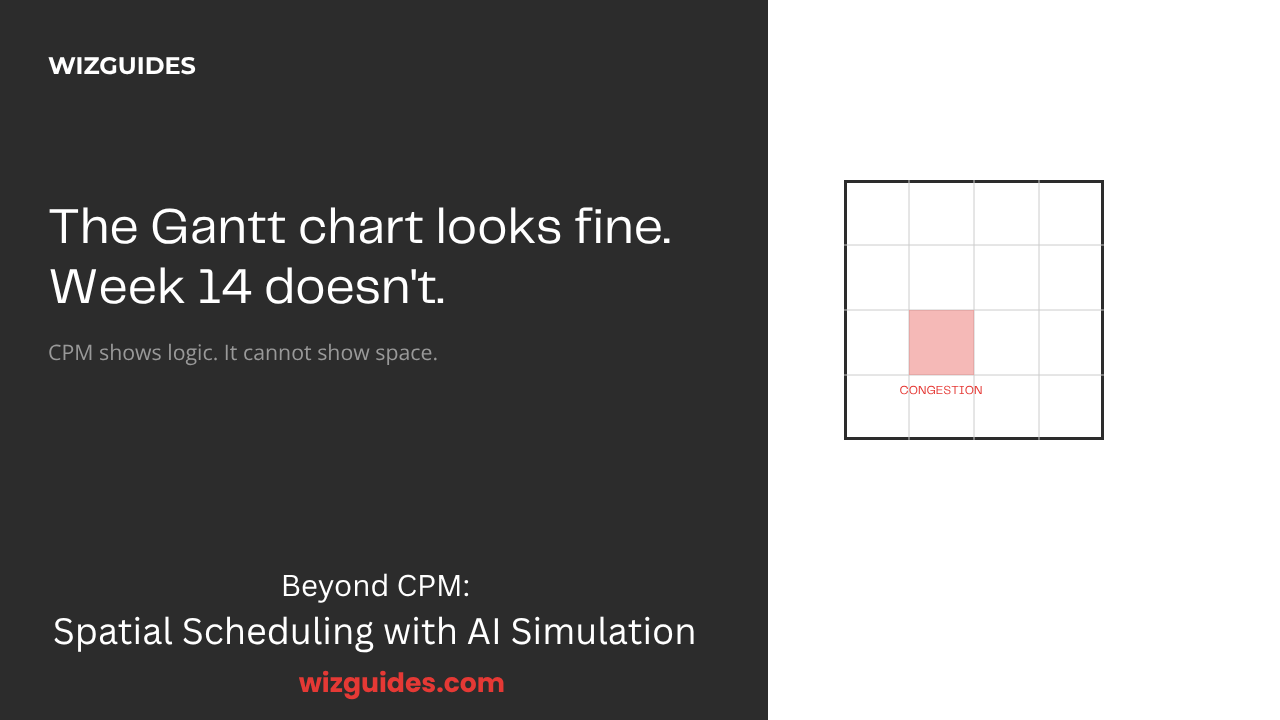
And then — on the Monday morning of Week 14 — two crews turn up on the same corridor, the same floor, the same crane, and the project discovers a conflict that was nowhere to be found in P6 or MS Project.
This is the invisible bottleneck problem. CPM — the Critical Path Method — is a time-and-logic model. It answers a single question with extraordinary precision: what must finish before this activity can start? It manages logical dependencies. It calculates float. It is indispensable. It is also incomplete.
The foundational assumption of CPM is that readiness equals startability. If Activity A is complete and Activity B's predecessors are finished, CPM assumes Activity B can start immediately. This assumption is silently wrong on almost every complex construction project.
Consider three scenarios that occur on construction sites every week:
The corridor conflict. In Week 14, the CPM schedule shows both the M&E first-fix and the suspended ceiling installation on Floor 3. Both activities have complete logical predecessors. The Gantt chart shows no conflict. In reality, both require the same 2.4-metre access corridor. Only one crew fits at a time. The result: one crew stood down for two days. £14,000 in disruption costs. A delay that did not need to happen.
The floor overload. A floor that is "on programme" according to CPM may be logistically impossible — 85 operatives scheduled simultaneously in a space designed for 40. No Gantt chart shows this. The PM discovers it when operatives start fighting for floor space.
The crane conflict. A tower crane is the most constrained resource on many sites. Three trades all need it on Monday morning. CPM has no mechanism to model this. The PM discovers it when the steel erector, the façade contractor, and the mechanical installer are all waiting at the base of the crane at 7am.
The financial consequences are real. Disruption claims from subcontractors range from £10,000 to £50,000 per day of delay on major projects. A bottleneck in a critical zone can extend the overall project duration, triggering liquidated damages clauses. And in some contract forms, clients can claim prolongation costs for delays caused by inadequate planning.
CPM Shows Logic. It Cannot Show Space.
CPM tells you the logical sequence. Alice Technologies tells you whether that sequence is physically feasible. P6 manages the logic. Alice tests the physics. Together, they give the PM a far more complete picture of the programme than either can provide alone.
The CPM Gantt chart is built on a foundational axiom: if Activity A is complete and Activity B's predecessors are all finished, Activity B can start. This assumption is silently wrong on almost every complex construction project — because Activity B may need the same corridor as Activity C. Activity B may need the tower crane at the same moment as Activity D. CPM shows one row per activity. It cannot show how many people are in a zone at a given time. It cannot show that a floor marked "active" is occupied by 85 operatives in a space designed for 40.
The PM discovers these conflicts when operatives are already mobilised, when the supply chain has already committed, when programme and cost impact is now unavoidable. Reactive management — the most expensive kind.
The alternative: test the schedule against the physical reality of the site before the first operative arrives.
Solution: AI Simulation, PM Decides
Alice Technologies generates simulation scenarios. The Project Manager reviews, validates, and selects the sequence. The PM is always the author of the final schedule.
The four-step AI simulation workflow:
- Step 1 — Model Integration. Import the coordinated BIM model (Revit, IFC, or Navisworks, LOD 300+ minimum) and the clean P6 / MS Project programme. Complete the critical linking step: map every schedule activity to its corresponding BIM model elements.
- Step 2 — Constraint Definition. Define spatial, labour, external, and environmental constraints. Classify each as hard (must never be violated) or soft (preferred, may be adjusted if no alternative exists). Verify constraint values against site knowledge.
- Step 3 — Generative Simulation. Run the baseline simulation against the current CPM schedule. Review the bottleneck report and labour density heat maps. Run what-if scenarios to test alternative sequences. Apply confidence score thresholds to all outputs.
- Step 4 — Strategic Realignment. PM reviews all recommendations with professional rigour. Prepares board paper with evidence and rationale. Updates authoritative programme in P6 / MS Project only. Issues revised look-ahead to supply chain.
P6 manages the logical dependencies. Alice Technologies tests whether those dependencies are physically feasible in the space available. Together, they give the PM a far more complete picture than either can provide alone.
Methodology Overview
The guide introduces a four-step AI simulation workflow that integrates a coordinated BIM model with a clean P6 or MS Project programme, applies spatial and labour constraint rules, and generates a bottleneck report identifying where the schedule breaks down physically.
Key methodology principles:
- Simulation quality equals input quality. Alice can only model what it is given. An inaccurate BIM model, an incomplete schedule, or incorrect constraint definitions will produce a simulation that appears credible but is spatially wrong.
- Baseline first. The first simulation run must always be the baseline — the current CPM schedule as-is, with all defined constraints applied. What-if scenarios should never be run before the baseline is established.
- Confidence scores. Alice assigns confidence levels to all outputs. High confidence: suitable for direct decision support. Medium confidence: cross-reference with site knowledge before acting. Low confidence: treat as directional only.
- Professional overlay is not optional. The PM is always responsible for the schedule. AI generates scenarios; the PM selects. The simulation output is a tool in the PM's hand — it does not replace professional accountability.
What's Inside
Part 1: The Guide-Workbook
- The Invisible Bottleneck Problem - The real cost of spatial conflicts that CPM cannot see — three worked scenarios (corridor conflict, floor overload, crane conflict) with the financial case for simulation.
- The Four-Step AI Simulation Workflow - Step-by-step methodology: model integration, constraint definition, generative simulation, and strategic realignment. Designed to be iterative — findings at later steps may require returning to earlier steps to refine inputs.
- BIM and Schedule Preparation - BIM LOD requirements (LOD 300 minimum, LOD 350+ recommended), schedule cleaning checklist, and the critical linking step — the step that maps schedule activities to BIM model elements and makes everything else meaningful.
- Constraint Definition in Practice - How to define spatial, labour, external, and environmental constraints. Hard versus soft constraint classification. What happens when you over-specify hard constraints.
- Interpreting the Alice Bottleneck Report - Structural bottlenecks versus sequencing artefacts. Labour density heat maps (red/amber/green zones). Trade contention scores. Priority order for resolution. The sequence comparison — how the AI-generated sequence differs from the baseline.
- Five Common Pitfalls - LOD too low. Skipping the linking step. No constraints defined. Treating Alice as a scheduling tool. Board paper without the PM's voice.
- Worked Example — Manchester Commercial Office Development - PM Rashid K., £38m development, twelve-storey RC frame. Alice simulation found Floor 3 corridor conflict in Week 14. Three-day stand-down avoided. £18,400 saved. 3,067% ROI on a 6-hour simulation investment.
- Exercises - Five exercises building from programme audit through to board presentation: Programme Audit, BIM/Schedule Preparation, Baseline Simulation, What-If Scenario Analysis, and Board Paper Draft.
Part 2: The Prompt Pack
Copy-paste prompts for every stage of the spatial scheduling workflow:
- Model & Schedule Integration Prompts — Preparing the BIM model for Alice import; preparing the baseline schedule; defining the baseline scenario before simulation
- Simulation Configuration Prompts — Configuring Alice simulation parameters; running what-if scenario analysis
- Analysis & Interpretation Prompts — Interpreting the bottleneck report; presenting findings to the project board
- Schedule Update & Implementation Prompts — Updating the master schedule after sequence selection; monitoring and adapting on site
- Quick Reference Card — Print-and-keep workflow summary, comparison table, pitfalls checklist, and board paper template
Who It's For
This bundle is for construction project managers who:
- Run large multi-trade commercial, residential, or infrastructure projects (£10m to £500m+)
- Manage the master programme in P6 or MS Project
- Are responsible for keeping the master programme on track across multiple trades and subcontractors
- Have a nagging feeling that the Gantt chart isn't telling the whole story
- Are technically sophisticated and uncomfortable with hype — want evidence, methodology, and professional framing
It is not for project managers who want AI to replace P6 or MS Project. It is not for those who want AI to make scheduling decisions. The PM is always the author of the final schedule.
Tools
- Alice Technologies — AI Construction Simulator (spatial and labour constraint simulation)
- P6 (Primavera) or MS Project — CPM schedule management (master programme, authoritative version)
- Revit (.rvt), IFC, or Navisworks (.nwd) — BIM coordination platform
- LOD 300 minimum required (LOD 350+ strongly recommended)
- ChatGPT, Claude, or equivalent AI assistant — for Prompt Pack prompts
Worked Example: Manchester Commercial Office Development
Project: £38m commercial office, Manchester city centre. Twelve-storey reinforced concrete frame. PM: Richard K. Site team: 280 operatives across 8 subcontractors. Phase: M&E and finishes — the most spatially complex stage.
The CPM View: In P6, the M&E first-fix and the suspended ceiling grid installation on Floor 3 are both scheduled to run concurrently in Week 14. Both activities have complete logical predecessors. No dependency relationship connects them. No warnings appear.
Model Preparation: Richard exports the Revit model (LOD 350, fully coordinated) and the P6 programme (.xer format). He cleans the schedule: fixes 3 open ends, resolves 1 logical loop, confirms all activity resource assignments. He completes the linking step and spot-checks 12 key activities — all correctly assigned.
Constraint Definition: Floor 3 access corridor: 2.4 metres wide, maximum 12 operatives simultaneously. Tower Crane TC-01: 7am–5pm, Monday to Saturday. Corridor width and crane availability set as hard constraints.
The Alice Discovery: Baseline simulation identifies a Floor 3 corridor conflict in Week 14. 14 operatives modelled in a space rated for 12. Simulation projects a 3-day stand-down. Projected disruption cost: £18,400. Confidence score: High.
The Resolution: What-if scenario — M&E first-fix completed in Week 13. Alice simulation shows zero corridor conflicts in Week 14. Programme impact: zero days.
ROI:
| Activity | Time |
|----------|------|
| BIM model preparation | 1.5 hours |
| Schedule export and cleaning | 1 hour |
| Alice import and linking | 1.5 hours |
| Simulation runs and analysis | 1 hour |
| Board paper and approval | 1 hour |
| **Total** | **6 hours** |
| Metric | Value |
|--------|-------|
| Disruption cost avoided | £18,400 |
| Programme extension avoided | Additional savings (TBC) |
| **ROI** | **3,067%** |
Actual ROI will vary by project. Larger projects with more subcontractors and more complex spatial arrangements will typically yield proportionally higher savings from spatial simulation.
Download the Guide-Workbook + Prompt Pack Bundle
Beyond Critical Path Method (CPM): Simulating Spatial and Labor Constraints using Predictive AI
Two-part bundle: Combined Guide-Workbook (comprehensive) + Prompt Pack (copy-paste templates)
---
© 2026 Theo Hartley | WIZGUIDES
⚖️ Practical AI for Professionals ⚖️